Yes, some Microsoft certifications expire and some do not. In 2026, the rule is straightforward once you separate Microsoft credentials into the right categories:
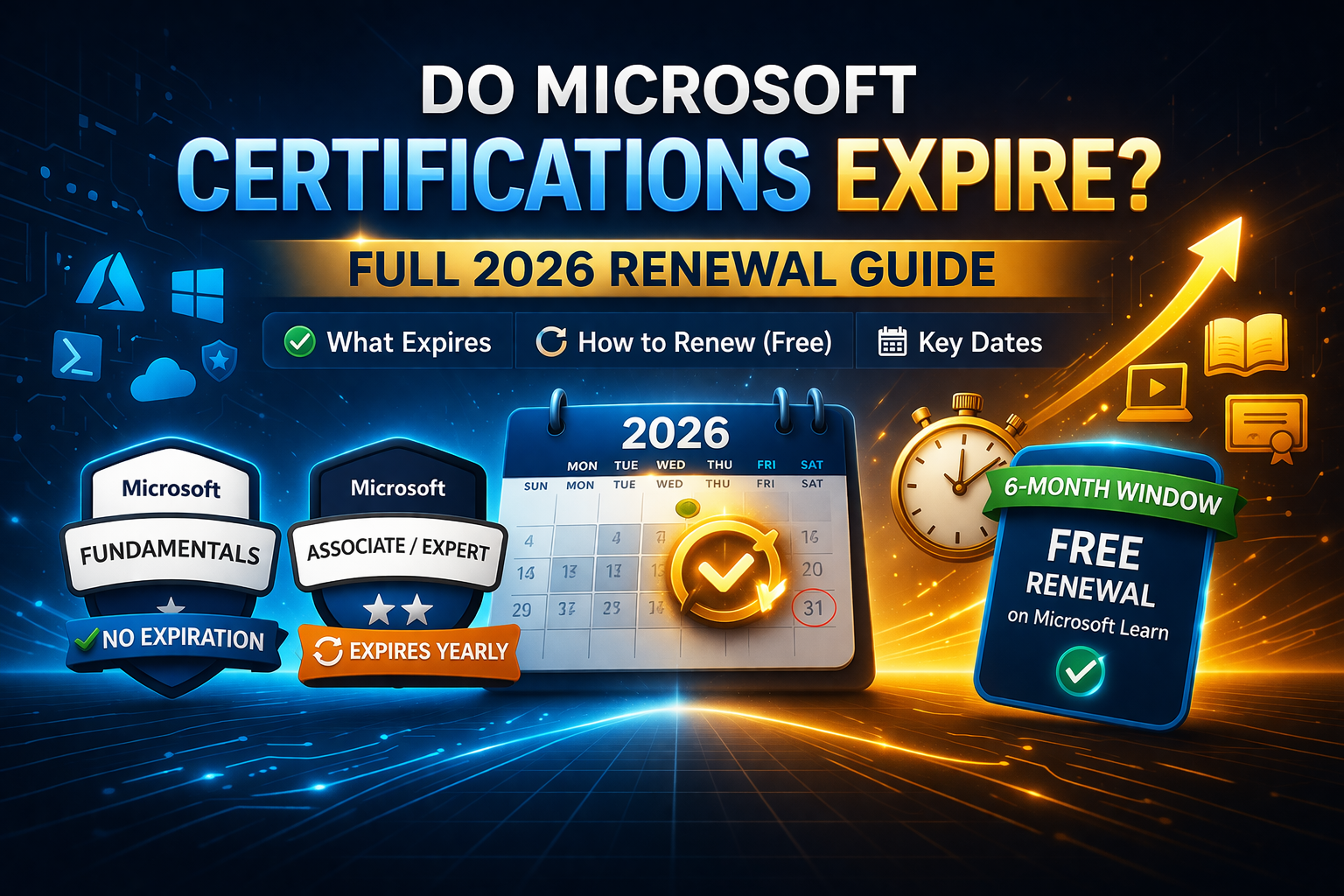
- Fundamentals certifications do not expire
- Role-based certifications expire after one year
- Specialty certifications expire after one year
- Eligible expiring certifications can usually be renewed for free by passing an online renewal assessment on Microsoft Learn during the six-month renewal window before expiration.
That is the short answer. The problem is that many candidates still get confused because Microsoft has different credential types, some certification pages show retirement notices, and learners often mix up three separate concepts:
- Expiration
- Renewal
- Retirement
Those are not the same thing.
A certification can be active but still expire annually. A fundamentals certification can stay valid indefinitely. A certification can also be retired by Microsoft, which means it is no longer available to earn in the future, even if people who already earned it may still see it on their transcript for some period.
If you want to plan your Microsoft certification path in 2026, you need to understand all three clearly. This guide explains them in simple language so you know whether you need to renew, when the renewal window opens, what happens if your certification expires, and which Microsoft certs stay valid without any renewal at all.
The simple rule for 2026
Here is the easiest way to think about it:
Microsoft Fundamentals certifications
These do not expire. Microsoft says renewal does not apply to fundamentals certifications because they do not expire. That means certifications such as many of the entry-level “900” exams usually stay active without annual renewal.
Microsoft Associate, Expert, and Specialty certifications
These expire one year after you earn them. Microsoft’s credential expiration policy states that role-based certifications, including associate and expert, plus specialty certifications, are valid for one year from the date you complete the requirements to earn them.
Renewal
If your certification is eligible, you can renew it for free through Microsoft Learn by passing an online renewal assessment during the six months before expiration. Passing the assessment extends the certification by one year from the expiration date.
That structure is what drives nearly all Microsoft certification renewal decisions in 2026.
Do all Microsoft certifications expire?
No. This is one of the biggest misunderstandings in the certification space.
People often say “Microsoft certifications expire every year,” but that statement is only partly true. It applies to role-based and specialty credentials, not to fundamentals certifications. Microsoft’s official renewal FAQ explicitly says renewal does not apply to fundamentals certifications because they do not expire.
That means if you earned a fundamentals certification, you generally do not have to log in every year, take a renewal assessment, or worry about losing it because you missed a renewal date.
By contrast, if you earned a role-based certification like an Azure Administrator, Azure Developer, or Power BI Data Analyst credential, annual renewal is part of maintaining that certification. Microsoft uses this model to keep certification holders current with evolving cloud and platform changes.
What counts as a Microsoft Fundamentals certification?
Fundamentals certifications are Microsoft’s entry-level credentials. They are typically mapped to broad foundational knowledge rather than day-to-day job-role execution. These often include exam families such as:
- Azure Fundamentals
- Microsoft 365 Fundamentals
- Security, Compliance, and Identity Fundamentals
- Power Platform Fundamentals
- AI Fundamentals
- Data Fundamentals
The exact credential names can vary as Microsoft updates offerings, but the policy point stays the same: fundamentals certifications do not expire.
This matters a lot for beginners. If someone wants a credential they can earn once and keep on their profile without annual renewal, fundamentals certifications are the easiest path in the Microsoft ecosystem.
That does not automatically mean they are better than role-based credentials. It just means the maintenance burden is lower.
Which Microsoft certifications expire after one year?
Microsoft says role-based and specialty certifications expire annually. That includes many of the certifications most employers care about for hands-on technical roles. Examples commonly fall into areas like:
- Azure administration
- Azure development
- Azure security
- Microsoft 365 administration
- data analytics
- security operations
- solution architecture
- developer and engineer tracks
Microsoft repeats this annual-expiration rule across certification pages and study guides. For example, the Azure Developer Associate certification page says role-based and specialty certifications expire unless they are renewed, and multiple study guides say Microsoft associate, expert, and specialty certifications expire annually and can be renewed through a free online assessment on Microsoft Learn.
So when someone asks, “Does AZ-104 expire?” or “Does PL-300 expire?” the answer is generally yes, because those belong to the role-based structure rather than the fundamentals structure.
What is the difference between expiration and retirement?
This is where many candidates get tripped up.
Expiration
Expiration means your certification has a validity period. For Microsoft role-based and specialty certifications, that period is usually one year. If you do not renew within the allowed window, the certification expires.
Retirement
Retirement means Microsoft has decided the certification or exam is being removed from the active catalog. Once retired, it is no longer available to earn in the usual way. Microsoft says that once a certification is retired, it will no longer be available in the certification offerings. If you earned or renewed it before retirement, it can remain on your transcript in the active section until it expires.
This creates an important real-world scenario:
- A certification can still be active but expiring annually
- A certification can be retired, meaning new candidates cannot keep earning it
- If you already hold a certification before retirement, you may still see it remain active on your transcript until its expiration date, depending on the timing and Microsoft’s rules.
So when a candidate sees a retirement notice, that is not the same as annual expiration. They are different lifecycle events.
How Microsoft certification renewal works in 2026
Microsoft’s renewal process is designed to be simpler than retaking the original exam. According to Microsoft’s renewal page, renewals are free, and the eligible candidate takes an online assessment on Microsoft Learn rather than scheduling the full exam at a testing center. The renewal assessment becomes available during the six-month eligibility window before the certification expires. Once passed, the certification is extended by one year from the expiration date.
This structure is important because some candidates assume they need to pay the full exam fee every year. That is not how Microsoft’s renewal system generally works for eligible role-based and specialty certifications.
The normal flow looks like this:
- You earn a role-based or specialty certification
- It remains valid for one year
- About six months before expiration, your renewal option becomes available
- You sign in to your Microsoft Learn profile
- You take the free online renewal assessment
- If you pass, your certification is extended by one year from its expiration date
That is the standard renewal model Microsoft is using in 2026.
When can you renew a Microsoft certification?
Microsoft says the renewal assessment can be taken during the six months before your certification expires. The Renew button appears in your Microsoft Learn profile only when the certification is within that eligibility window.
That means you cannot usually renew too early. If your certification has many months left before expiration, you may not yet see the renewal option.
For example, if your certification expires on December 20, 2026, your renewal eligibility typically begins around six months earlier, not immediately after you earn it. Microsoft specifically notes that the blue Renew button appears next to the certification once it is within six months of expiring.
That timing matters because candidates sometimes panic when they do not see the renewal link, even though the issue is simply that they are not yet inside the renewal window.
How much does Microsoft certification renewal cost?
For eligible certifications, Microsoft says renewal is free. That is one of the major benefits of the current system. Instead of paying the full exam fee again, candidates complete an online renewal assessment through Microsoft Learn at no additional cost.
This is a major difference compared with older certification ecosystems where maintaining a credential sometimes required paying for a full retake or recertification exam. Microsoft’s free renewal path is more accessible, especially for professionals managing several certifications at once.
Still, “free” does not mean “automatic.” You still have to act before the expiration date, and you still need to pass the renewal assessment in time.
What happens if your Microsoft certification expires?
If a role-based or specialty certification expires before you renew it, Microsoft says it cannot be renewed after expiration and must be earned again by passing the required exam or exams.
This is one of the most important points in the whole renewal process.
A lot of candidates assume they can renew late. In Microsoft’s published guidance and recent Q&A answers, the rule is strict: once the certification has already expired, the renewal option is no longer available, and the certification must be re-earned.
So if you have a role-based certification, it is not enough to “remember roughly when it expires.” You need to actively monitor your Microsoft Learn profile and act during the renewal window.
Missing the deadline can cost both time and money because re-earning the certification is much more demanding than passing the renewal assessment.
Where do you renew your Microsoft certification?
Microsoft’s current workflow centers on Microsoft Learn. Recent Microsoft Q&A guidance says that when your certification is within six months of expiration, a blue Renew button appears next to it in your profile. You can sign in, open your profile, go to the Certifications section, and launch the free online renewal assessment there.
That means the renewal process is usually self-service once you are eligible. You do not normally need to contact support just to start the renewal.
In practical terms, your best habit is to check your Learn profile regularly rather than waiting until the last week.
Why Microsoft uses annual renewal for role-based and specialty certifications
Microsoft’s own FAQ explains the reasoning: role-based certifications expire after one year so that technology professionals keep their skills current as products and services evolve.
That policy makes sense in cloud and AI environments where tools, interfaces, services, security models, and product naming can change quickly. A certification earned years ago may still prove baseline knowledge, but Microsoft wants current role-based badge holders to show that they stayed updated.
That is also why the renewal path is not just a full retake of the original exam. The point is not to force people through the same process every year. The point is to verify that they understand the latest updates to the technologies tied to their role.
Do Microsoft fundamentals ever need renewal?
Under Microsoft’s official policy, no. Fundamentals certifications do not expire, so renewal does not apply to them.
That said, you may occasionally see community confusion when someone notices a date or transcript detail connected to a beta exam or an unusual case. Microsoft Q&A responses in 2026 still reaffirm the core policy that fundamentals certifications do not expire, while also explaining that certain beta-related transcript details can create confusion in isolated cases.
For normal planning purposes, you should treat fundamentals certifications as non-expiring credentials.
Common examples candidates ask about
Does AZ-104 expire?
Yes. AZ-104 is part of a role-based certification path, and Microsoft’s AZ-104 study guide says associate, expert, and specialty certifications expire annually and can be renewed through Microsoft Learn.
Does AZ-204 expire?
Yes. Microsoft’s AZ-204 study guide says associate, expert, and specialty certifications expire annually.
Does AZ-500 expire?
Yes. Microsoft’s AZ-500 study guide includes the same annual expiration and renewal rule for associate, expert, and specialty certifications.
Does MS-900 expire?
No. MS-900 is a fundamentals certification, and Microsoft’s official renewal guidance says fundamentals certifications do not expire.
Does SC-900 expire?
No. SC-900 is also a fundamentals certification, so renewal does not apply.
These examples show the basic rule in action: if it is fundamentals, it generally does not expire; if it is role-based or specialty, it usually does.
The biggest mistakes people make with Microsoft certification renewal
The first mistake is assuming every Microsoft certification expires. That is false because fundamentals certifications do not expire.
The second mistake is assuming renewal is automatic. It is not. You must still sign in, access the renewal assessment during the eligibility window, and pass it before expiration.
The third mistake is mixing up expiration and retirement. A certification expiring after one year is not the same as Microsoft retiring the certification from its catalog.
The fourth mistake is waiting too long. Microsoft’s current guidance says that once the certification has already expired, it cannot be renewed and must be re-earned.
The fifth mistake is choosing a certification path without considering maintenance. Some candidates actually prefer fundamentals credentials because there is no annual renewal. Others want the stronger market signal of a role-based credential and are willing to keep it current. Both choices are valid, but they are different commitments.
How to choose the right Microsoft certification with expiration in mind
If your main goal is to get an entry-level Microsoft credential you can keep without annual maintenance, fundamentals certifications are attractive because they do not expire.
If your goal is to prove job-role capability in a current technical position, role-based certifications are often more valuable even though they expire yearly. Employers often care more about current job-role skills than about whether the credential is permanent.
So the better question is not simply “Do Microsoft certifications expire?”
The better question is: Which type of certification fits my career stage and my willingness to maintain it?
Choose fundamentals when you want:
- beginner-friendly validation
- lower maintenance
- broad platform knowledge
- a non-expiring credential
Choose role-based or specialty when you want:
- stronger job-role relevance
- current technical credibility
- a certification aligned to active platform work
- a credential you are willing to renew annually
That is the strategic way to approach Microsoft certifications in 2026.
Final answer
Yes, Microsoft certifications can expire, but not all of them do.
In 2026:
- Fundamentals certifications do not expire
- Associate, expert, and specialty certifications expire after one year
- Eligible expiring certifications can usually be renewed for free through an online Microsoft Learn assessment during the six months before expiration
- If an eligible certification expires before you renew it, Microsoft says it must be earned again rather than renewed late.
That is the clearest way to think about the system.
If you are just starting your Microsoft certification journey, keep this simple rule in mind:
Fundamentals stay active. Role-based and specialty certifications need annual renewal.
FAQs
Do Microsoft certifications expire after one year?
Only role-based and specialty certifications do. Microsoft says these are valid for one year from the date you complete the requirements to earn them. Fundamentals certifications do not expire.
Are Microsoft certification renewals free?
Yes, Microsoft says renewals are free for eligible certifications through an online assessment on Microsoft Learn.
When can I renew my Microsoft certification?
You can usually renew during the six months before expiration. Microsoft says the Renew button appears in your profile during that eligibility window.
Can I renew a Microsoft certification after it expires?
No. Microsoft’s current guidance says that once a certification has expired, it cannot be renewed and must be re-earned by passing the required exam or exams again.
Do AZ-104, AZ-204, and AZ-500 expire?
Yes. Microsoft’s study guides for these role-based certifications say associate, expert, and specialty certifications expire annually and can be renewed on Microsoft Learn.
Do MS-900 and SC-900 expire?
No. These are fundamentals certifications, and Microsoft’s official guidance says fundamentals certifications do not expire.
Tell me “meta and banner” and I’ll write the meta title, meta description, and generate the blog banner for this one too.