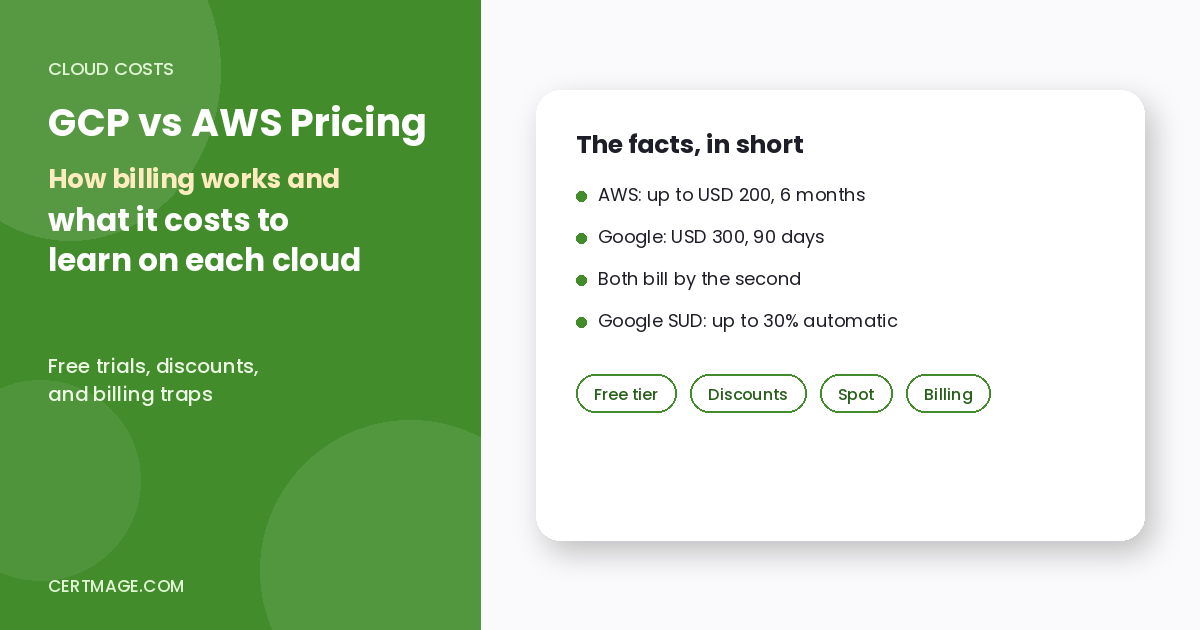
TL;DR: There is no single “cheaper” cloud. The price you pay depends on the workload, the region, how long you run it and which discount you qualify for, so any headline claiming that one provider is cheaper deserves suspicion. What you can compare reliably is how each provider bills and discounts, and what it costs a learner to practice. Both bills compute by the second after a one-minute minimum. Google applies sustained use discounts automatically (up to 30% on eligible, always-on instances), while AWS savings come from a purchase you choose, such as a Savings Plan (up to 66% to 72% for computers) or Spot (up to 90%). For learning, Google gives a larger but shorter free trial (USD 300 for 90 days) and AWS gives a smaller but longer one (up to USD 200 for 6 months). Use the free windows deliberately, set budget alerts on day one, and compare real workloads in both vendors’ pricing calculators before you decide anything.
Key Takeaways
- Neither provider is cheaper in general. Cost depends on workload, region, run time and discounts. Compare your own workload, not list prices.
- Billing granularity is similar. AWS bills EC2 in one-second increments with a 60-second minimum. Google bills Compute Engine with a one-minute minimum, then one-second increments.
- Discount design is different. Google’s sustained use discounts are automatic. AWS’s equivalent savings require a commitment or a Spot purchase.
- Google’s discount types do not stack. Google says a given usage qualifies for only one type of discount, and Spot VMs cannot receive committed or sustained use discounts.
- Learner free periods differ. Google: USD 300 credit, 90 days. AWS: up to USD 200 in credits, up to 6 months.
- Both free programs have traps. Google shuts down workloads when the trial ends and deletes them after a 30-day grace period. AWS closes the free-plan account after 6 months and gives 90 days to reopen it by upgrading.
Quick Facts
| Item | AWS | Google Cloud |
| New-account free offer | Up to USD 200 in credits (USD 100 at sign-up plus USD 20 for each of five activities) | USD 300 Welcome credit |
| How long it lasts | Up to 6 months, or until credits run out | 90 days, or until the credit is spent |
| After it ends | 90 days to reopen the account by upgrading to a paid plan | 30 days to upgrade and recover resources, then workloads are deleted |
| Always-free services | More than 30 services within monthly limits | 20+ products within monthly limits |
| Compute billing | One-second increments, 60-second minimum (EC2) | One-minute minimum, then one-second increments (Compute Engine) |
| Automatic usage discount | Not on the EC2 On-Demand page we read | Sustained use discounts, up to 30% for full-month use |
| Commitment discounts | Savings Plans: up to 66% (Compute), 72% (EC2 Instance), 64% (SageMaker), 35% (Database) | Committed use discounts: up to 37% (1-year) and 55% to 70% (3-year) for resource-based, 28% and 46% for flexible |
| Spot discount | Up to 90% | Up to 91% |
| Official source | AWS free tier announcement (July 15, 2025) | Google Cloud Free Program and signup FAQ pages |
How Does Each Provider Bill You?
Both charge for what you use, by the second, so a forgotten resource is the real cost risk for learners.
- AWS: per the EC2 pricing page, usage is billed in one-second increments with a 60-second minimum, across all purchase options.
- Google Cloud: per the Compute Engine pricing page, billing has a one-minute minimum, then one-second increments. Each vCPU and each GB of memory is billed separately, and an idle instance that is still running is still billed.
For a learner the practical rule is the same on both: stop or delete what you are not using, and check what is still running at the end of each study session.
How Do the Discount Models Compare?
| Discount type | AWS | Google Cloud |
| Automatic discount | None listed on the EC2 On-Demand page we read | Sustained use discounts: automatic for resources used more than 25% of a month that have no other discount, up to 30% for a full month. Delivered as monthly credits that cannot be carried over |
| Flexible commitment | Compute Savings Plans: up to 66%, 1 or 3 years | Compute flexible CUDs: 28% (1-year) and 46% (3-year) on a committed hourly spend |
| Instance-specific commitment | EC2 Instance Savings Plans: up to 72%, within an instance family and Region | Resource-based CUDs: up to 37% (1-year), up to 55% or 70% for memory-optimized (3-year) |
| Interruptible capacity | Spot: up to 90% | Spot VMs: up to 91%, can be preempted at any time |
| Capacity guarantee | Savings Plans do not reserve capacity | Resource-based commitments do not reserve zonal capacity |
Three details that surprise people:
- Google’s discounts are mutually exclusive. Resource-based CUDs apply first, flexible CUDs next, and whatever remains is charged on demand, where sustained use discounts may still apply.
- A commitment is a monthly obligation. Google says the monthly fee for a resource-based commitment applies even if you do not use the resources.
- AWS Savings Plans come in several types. Database Savings Plans are 1-year only, with a lower maximum of 35%, and cannot be combined with Reserved Instances on the same workload.
These maximums are ceilings under specific conditions, not typical savings. Do not assume you will reach them.
Is Google Cloud or AWS Cheaper?
The only reliable answer is to price your own workload on both. A defensible comparison needs the same region, the same instance size, the same run time, the same storage and the same data transfer. Then build the estimate in each vendor’s pricing calculator and note which discounts you assumed. A learner with a small, intermittent lab will mostly pay for storage and forgotten resources, while a production team will care far more about commitments and data transfer.
On data transfer, AWS’s current allowance is 100 GB per month to the internet from its Regions (since December 1, 2021) and 1 TB per month from CloudFront. AWS also offers free data transfer out when you move your data entirely off AWS, with a 180-day window for most customers. We did not verify Google Cloud’s current data transfer pricing, so check it directly before you compare.
What Do the Free Learning Programs Offer?
AWS
- Who gets it: accounts created on or after July 15, 2025. Older accounts stay on the legacy Free Tier.
- Credits: USD 100 at sign-up, plus USD 20 for each of five activities (EC2, RDS, Lambda, Bedrock and Budgets), up to USD 200.
- Duration: the free plan ends after 6 months or when credits run out, whichever comes first.
- Limits: some services used mainly by large enterprises are unavailable on the free plan.
- If you upgrade: unused credits remain usable for eligible services for up to 12 months from sign-up.
- After the free period: you have 90 days to reopen the account by upgrading. AWS’s page does not say what happens to your data during that window.
- Alerts: emails arrive at 50%, 25% and 10% of credits remaining, and at 15, 7 and 2 days before the 6-month period ends.
Google Cloud
- Credit: USD 300 Welcome credit, valid for 90 days. You can spend it on covered products, including usage above the always-free limits.
- Eligibility: you must never have been a paying customer of Google Cloud, Google Maps Platform or Firebase, and must not have used the trial before.
- Payment method: required to verify identity. A temporary authorization is not a charge.
- Restrictions during the trial: you cannot add GPUs to VMs, use Google Cloud Marketplace, request quota increases, create Windows Server VMs or create VMware Engine resources. For sign-ups on or after November 16, 2026, the credit also cannot pay for certain Gemini platform services.
- When it ends: billing is disabled and workloads are stopped. You have 30 days to upgrade and recover them, after which they are permanently deleted. You are not charged unless you upgrade.
- Always free: 20+ products within monthly limits, such as one e2-micro VM per month in select US regions, 1 TiB of BigQuery queries, and 2 million Cloud Run requests. Google can change this offer with 30 days’ notice.
What do the two programs mean for a learner?
A rough comparison, our arithmetic and only if you spread spending evenly:
| Program | Credit | Window | Credit per day |
| AWS | Up to USD 200 | About 182 days (6 months) | About USD 1.10 |
| Google Cloud | USD 300 | 90 days | About USD 3.33 |
In plain terms, Google lets you spend more per day for a shorter time, which suits an intense two-to-three month study sprint. AWS gives you a longer, gentler runway, which suits slower study. Neither number is a budget for real projects.
How Should You Use the Free Window Well?
- Do not start the clock early. Open the account when you are ready to practice, not when you decide to study someday.
- Plan labs against your exam date. If your exam is five months away, an AWS 6-month window fits better. If it is two months away, Google’s 90 days is enough.
- Set a budget alert on day one. Budgets is even one of the five AWS credit-earning activities.
- Keep a teardown checklist. Stop instances, delete storage and remove load balancers after each session.
- Use the always-free limits for small projects, and save credits for services that are not free.
- Know the restrictions. On Google’s trial, GPUs, Marketplace and quota increases are blocked, so some advanced labs need a paid account.
- Write down the end date and the grace period on your calendar.
What Does It Cost to Get Certified on Each?
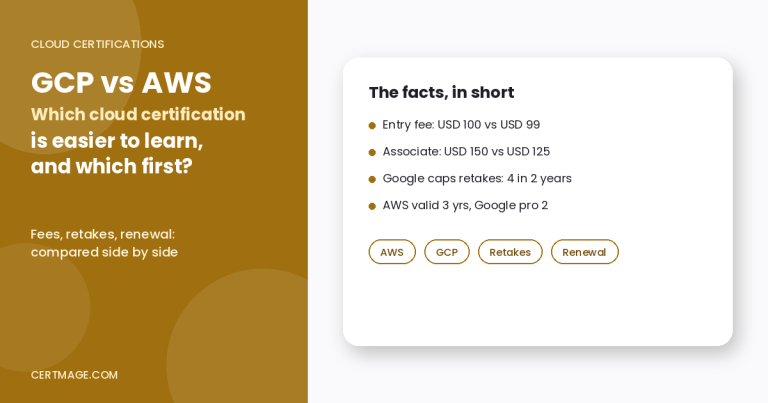
Exam fees are separate from the cost of the cloud itself. In the official figures we compared, Google’s entry, associate and professional exams cost USD 99, 125 and 200, while AWS’s cost USD 100, 150 and 300 for the equivalent levels (taxes extra). For the full comparison of retakes, validity and renewal, read our GCP vs AWS certification guide.
For role-specific paths and the cost of staying current, see these guides:
- Azure certification cost, if you are weighing a third cloud.
- CLF-C02 vs CLF-C01, for the AWS entry exam versions.
- Is AWS Developer Associate worth it?
- AWS Certified Generative AI Developer Professional, where labs can cost more.
- AWS Data Engineer certification guide, for data-heavy labs.
- The Google Associate Cloud Engineer exam page, if you are planning Google’s main associate exam.
How Does Pricing Fit the Bigger Cloud Decision?
Pricing is one of three questions. The second is the job market, which we cover in our AWS vs Azure vs GCP market share guide, and the third is which path fits your role, which our three-cloud career comparison addresses. A cloud that looks cheaper on paper but has no employers near you is not a good learning investment.
What Are Common Mistakes?
- Comparing list prices. Compare a real workload using the same region and assumptions.
- Leaving resources running. The most common learner bill comes from forgotten instances, volumes and load balancers.
- Assuming discounts stack. Google says each usage qualifies for one discount type.
- Treating maximum discounts as typical. “Up to” figures describe ceilings.
- Ignoring the end date. Google deletes workloads after a 30-day grace period, and AWS closes the free-plan account at 6 months.
- Expecting every service to be free. The AWS free plan excludes some enterprise services, and Google’s trial blocks GPUs and Marketplace.
- Using a stale source. Offers change. For example, AWS changed its free tier for accounts created from July 15, 2025.
FAQS
Is Google Cloud cheaper than AWS?
Neither is cheaper in general. Cost depends on workload, region, run time and discounts, so price your own workload in both calculators.
How does AWS free tier work now?
For accounts created on or after July 15, 2025, you get up to USD 200 in credits and a free plan that lasts up to 6 months or until credits run out.
How does the Google Cloud free trial work?
You get USD 300 in Welcome credit valid for 90 days. The trial billing account closes when the credit is spent or the 90 days pass.
What happens when the Google trial ends?
Workloads are stopped, and you have 30 days to upgrade and recover them. After that they are permanently deleted. You are not charged unless you upgrade.
What happens when the AWS free plan ends?
The account closes after 6 months or when credits run out, and you have 90 days to reopen it by upgrading to a paid plan.
Do I need a credit card?
Google requires a payment method to verify identity, with a temporary authorization that is not a charge. We did not confirm AWS’s current requirement, so check at sign-up.
How is compute billed?
By the second after a one-minute minimum on both (60 seconds for AWS EC2, one minute for Google Compute Engine).
What are sustained use discounts?
Automatic Google discounts for eligible resources used for more than 25% of a month, up to 30% for a full month, applied as monthly credits.
What are AWS Savings Plans?
Commitment-based discounts of up to 66% (Compute) or 72% (EC2 Instance) for 1 or 3 years, with SageMaker and Database types also available.
Do Google discounts stack?
No. Google says discount types are mutually exclusive for a given usage.
How much can Spot save?
AWS says up to 90% and Google says up to 91%, but both can interrupt your workload.
Which is better for a student on a budget?
It depends on timing. Google gives more credit for 90 days, and AWS gives less credit over up to 6 months. Always set budget alerts.
Where should I check current prices?
In each provider’s own pricing calculator and offer pages, because offers and prices change.
Final Thoughts
Do not choose a cloud because someone says it is cheaper. Choose the one you will use for work, then use its free window carefully, set budget alerts, tear down every lab and recheck the offer on the day you sign up. If you want to read the AWS rules directly, start from the official free tier announcement.