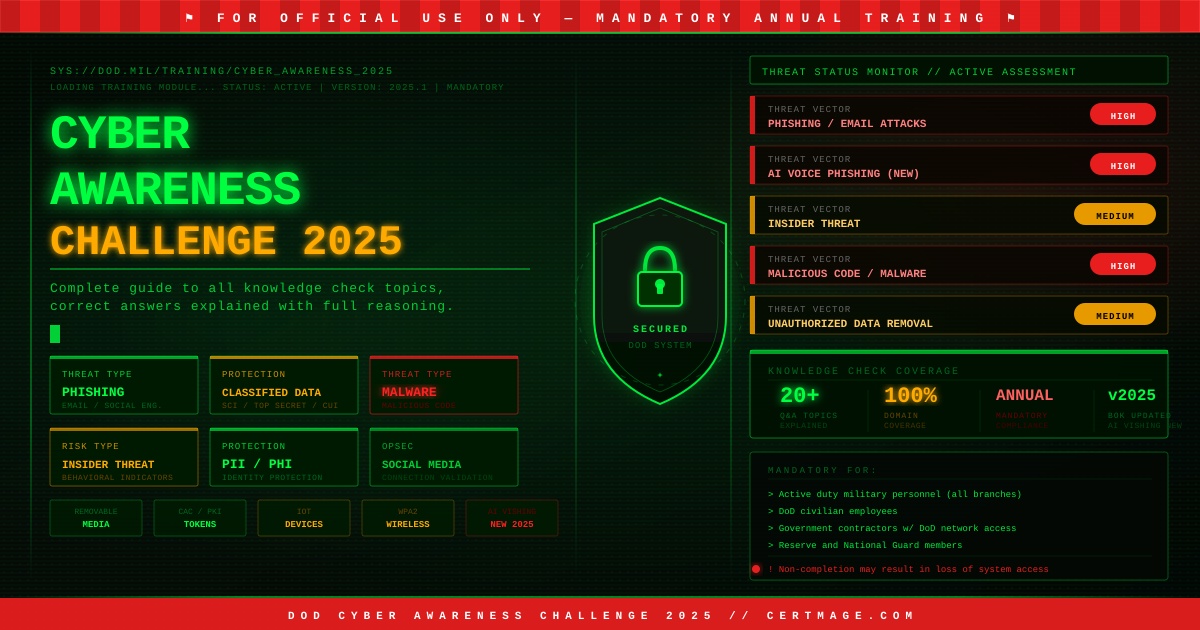
What this guide covers: The DoD Cyber Awareness Challenge 2026 is mandatory annual training for military personnel, federal employees, and government contractors. This guide walks through every topic area, explains the reasoning behind the correct knowledge check answers, and helps you understand the concepts well enough to apply them, not just pass the check. Because understanding the material is the entire point of the training.
What Is the DoD Cyber Awareness Challenge?
The purpose of the Cyber Awareness Challenge is to influence behavior, focusing on actions that authorized users can engage to mitigate threats and vulnerabilities to DoD Information Systems. The Cyber Awareness Challenge is the DoD baseline standard for end-user awareness training by providing awareness content that addresses evolving requirements issued by Congress, the Office of Management and Budget (OMB), the Office of the Secretary of Defense, and Component input from the DoD CIO-chaired Cyber Workforce Advisory Group (CWAG). This course provides an overview of current cybersecurity threats and best practices to keep information and information systems secure at home and at work. The training also reinforces best practices to protect classified, controlled unclassified information (CUI), and personally identifiable information (PII).
In plain terms: if you work with DoD systems, handle government data, or serve as a contractor on federal programs, completing this training every year is mandatory. Failure to complete it can result in loss of system access.
The Cyber Awareness Challenge is an interactive, scenario-based cybersecurity training developed by the Defense Counterintelligence and Security Agency (DCSA). It is designed to educate users on protecting government systems and sensitive information from threats such as phishing, social engineering, insider risks, malware, and more.
The training is not designed to trick you. It is designed to build habits. Every question in the knowledge check reflects a real threat pattern that DoD systems and personnel face in the actual world. This guide explains not just what the right answers are, but why they are right, so you carry the understanding forward rather than just clearing the compliance checkbox.
Who Must Complete the Cyber Awareness Challenge 2026?
The training is mandatory for a broad population of individuals connected to DoD systems and operations. This includes all active duty military personnel across all branches, Department of Defense civilian employees, government contractors with access to DoD networks or data, Reserve and National Guard members, and certain federal agency personnel whose roles intersect with DoD systems.
Participants must complete the training annually to maintain compliance with DoD cybersecurity regulations. Failure to complete the training may result in loss of system access or non-compliance with federal cybersecurity protocols.
The primary Army policy that directs Cybersecurity Annual Training and the Information Technology (IT) User Agreement is Army Regulation 25-2, “Army Cybersecurity.” This regulation establishes the Army Cybersecurity Program and outlines the policies and responsibilities for protecting Army information and IT systems.
The obligation renews annually, which is why the training content is updated each year to reflect new threat patterns and emerging risks.
How to Access and Complete the Training
The training is hosted on the official DoD Cyber Exchange platform, a secure government resource for cybersecurity tools and training. Log in to the DoD Cyber Exchange platform using your Common Access Card (CAC). Locate the Cyber Awareness Challenge 2026 under the training section. Register for the training module and review the system requirements to ensure compatibility. Complete the training course, including interactive scenarios and knowledge checks.
To meet technical functionality requirements, this awareness product was developed to function with Windows and Mac operating systems (Windows 10 and 11 and macOS 14 Sonoma, when configured correctly) using either Edge 128, Chrome 128, Firefox 130, or Safari 17.3 browsers. Using another operating system or web browser is not recommended as users may not be able to complete the training or save the certificate of completion.
Army users also have access through a separate centralized platform. The ICTD Cyber Awareness website serves as the Army’s centralized platform for Cyber Awareness and Cyber Fundamentals training, as well as the digital signing of the Army Information Technology User Agreement. Training completion and user acknowledgements are automatically recorded and fed into authoritative Army systems, including AVS, ensuring compliance, accountability, and workforce readiness across the enterprise.
One important feature available for returning users: a Knowledge Check option is available for users who have completed the previous version of the course. If you completed the 2024 version, you may be eligible to take a shorter knowledge check rather than completing the entire course from the beginning. Check your organization’s policy on this option.
What Is New in the 2026 Version
The 2026 challenge introduces updated scenarios and topics to reflect the evolving cyber threat landscape. New modules include advanced phishing techniques, extended insights into multi-factor authentication, and emerging social engineering tactics. Expect more interactive simulations and case studies for a more engaging training experience.
The DoD Cyber Awareness Challenge 2026 covers classified data handling, OPSEC, removable media risks, cloud sharing, and insider threat recognition. It introduces updated modules on social media risks and AI-powered voice phishing to reflect today’s advanced adversarial tactics. Cyber awareness challenge answers in 2026 now include context-based scenarios. Instead of simple yes/no or multiple choice, users must evaluate risks like phishing email language, mobile app permissions, or suspicious caller behavior, fostering real-life decision-making under pressure.
The addition of AI-powered voice phishing, also called vishing, is particularly significant for 2026. Attackers are now using generative AI tools to clone voices and create convincing impersonations of supervisors, IT staff, and executives. The 2026 training prepares users to recognize these attacks by reinforcing the principle that verification through a second channel is always required before taking action on a voice request involving sensitive information or system access. This threat has expanded significantly in 2026. The Cyber Awareness Challenge 2026 knowledge check now includes dedicated scenarios on deepfake audio and AI-generated phishing emails with no grammar errors.
Core Topic Areas: What the Training Covers
The Cyber Awareness Challenge 2026 is organized around distinct topic areas that map directly to the knowledge check questions. Understanding each area conceptually is the most effective preparation because the knowledge check draws from all of them.
Phishing
Phishing is the most frequently tested topic and the most common real-world attack vector against DoD personnel. The training teaches users to identify suspicious emails by looking for urgency or emotional pressure, unexpected links or attachments, requests to forward sensitive content, email addresses that look almost but not exactly like legitimate sources, and emails that are not digitally signed when they should be.
The consistent principle across all phishing scenarios: when in doubt, do not act on the email. Report it to your security point of contact or help desk.
A scenario that appears frequently: you receive an email about a major social service shutting down unless a petition gets enough signatures. The email asks you to forward it to your contacts. The correct answer is that you should not forward it. Chain emails of this type are a common phishing and social engineering vector regardless of how legitimate the cause appears.
Another common scenario: you receive an email with a link to run an antivirus scan, but your IT department has not sent links like this before and the email is not digitally signed. The correct action is to report the email to your security POC or help desk, not to click the link.
Protecting Classified Data
This section covers the handling, storage, transmission, and access requirements for classified information at all classification levels. Key principles include storing classified materials only in GSA-approved containers, transmitting classified information only through encrypted, approved government channels, never removing classified information from approved environments without authorization, and ensuring access is granted only to individuals with the appropriate clearance level and need to know.
For Sensitive Compartmented Information (SCI) specifically: access requires a Top Secret clearance and formal indoctrination into the SCI program. These requirements are cumulative, not alternative. Both must be satisfied.
When a government employee needs to share a document containing sensitive source selection data, the correct approach is to encrypt it and send it via digitally signed government email. Not to use personal email, not to use an unencrypted channel, and not to store it in an unapproved location.
Protecting PII and PHI
Personally Identifiable Information (PII) and Protected Health Information (PHI) require specific handling protections under both DoD policy and federal law. The training covers what constitutes PII and PHI, how to transmit it securely, how to store it appropriately, and how to recognize when it is being improperly requested or handled.
When transmitting PII, encryption and digitally signed government email are required. When removable media containing PII is used (where authorized), it must be labeled to identify its content.
Malicious Code and Incident Indicators
This section covers how malware enters systems, how to recognize signs of compromise, and what to do when you suspect a system is infected or compromised.
How to prevent viruses and malicious code: scan all email attachments before opening them. This applies even to attachments from known senders, because sender addresses can be spoofed and legitimate accounts can be compromised.
What is NOT an indicator of malicious code: an operating system update. OS updates are routine, expected, and managed by IT. Genuine indicators of compromise include unexpected system slowdowns, programs launching or closing without user action, unusual network activity, and unfamiliar files or programs appearing without explanation.
Home Computer Security
The training addresses home system security because DoD personnel access government systems remotely, and a compromised home system can become a vector for attacks on government networks.
Best practices for home computer security include installing legitimate, known antivirus software, installing spyware protection software, creating separate accounts for each user with individual passwords, enabling automatic software updates, and using a strong, unique password for each account.
Identity Protection
Identity theft directly affects government personnel and their security clearance status, making it a priority topic in the training.
Best practices for protecting your identity include reviewing your credit report annually, asking how information will be used before providing it to any party, using multi-factor authentication on personal and professional accounts, and monitoring financial accounts regularly for unauthorized activity.
Multi-Factor Authentication and PKI
Multi-factor authentication (MFA) combines something you know with something you have or something you are. For DoD users, the Common Access Card (CAC) and Personal Identification Number (PIN) combination constitutes two-factor authentication because the CAC is something you have and the PIN is something you know.
Regarding DoD Public Key Infrastructure (PKI) tokens: the correct use is to leave the token in a system only while actively using it for a PKI-required task. PKI tokens should not be left inserted in systems when not actively in use, as this creates an access window if the workstation is left unattended.
Appropriate use of government email includes using a digital signature when sending hyperlinks. Digital signatures verify the sender’s identity and protect recipients from acting on spoofed or tampered communications.
Social Networking
Social networking platforms present significant OPSEC and security risks for DoD personnel. The training covers what types of information should never be shared on social media, how to evaluate connection requests, and how social engineering attacks exploit social networking platforms.
Best practice for social networking: validate connection requests through another source if possible before accepting them. This applies even when a connection appears to come from someone you know, as account impersonation and cloning are common attack techniques.
Internet of Things (IoT)
IoT devices in home and remote work environments present security risks for DoD teleworkers. Devices such as smart speakers, home automation systems, and connected appliances may have microphones, cameras, or network access that create eavesdropping or data exposure risks.
In a telework environment where IoT devices are present, all of these device types pose security risks. The correct answer to IoT security risk questions reflects that the risk is broad and applies across all connected device categories rather than to any single type.
Steve occasionally runs errands during virtual government meetings and joins using his approved government device. This does pose a security concern: eavesdroppers may be listening to Steve’s conversation in the environments he is passing through during the meeting.
Internet Browsing Safety
Best practice when browsing the internet: look for HTTPS in the URL before entering any information. The HTTPS prefix indicates that the connection is encrypted. HTTP without the S indicates an unencrypted connection that can be intercepted.
Compressed URLs, such as those created by TinyURL or similar services, may be used to mask malicious intent. A link that appears short and neutral may redirect to a malicious site. Do not click compressed URLs from untrusted sources or unexpected communications.
Removable Media
Removable media including USB drives, external hard drives, and optical media are significant security risks when used without authorization or when media from unknown sources is connected to government systems. Never connect unauthorized removable media to government systems.
When removable media use is permitted: label the media to identify its contents, particularly when it contains PII. This ensures proper handling and prevents accidental disclosure.
Home Wireless Security for Telework
For home wireless networks used in telework: implement at minimum Wi-Fi Protected Access 2 (WPA2) Personal encryption. WPA2 is the minimum acceptable security standard for wireless networks used to access government systems remotely. WPA3 is preferred where available.
Insider Threats
Insider threats come from individuals with authorized access to government systems who misuse that access, intentionally or unintentionally. The training covers how to recognize potential insider threat indicators.
One knowledge check question asks which of the following is a potential insider threat indicator: a financial windfall from an inheritance. This may seem counterintuitive, but sudden unexplained financial changes are one of the recognized behavioral indicators that security programs monitor, because both financial hardship and sudden financial gain can be associated with susceptibility to coercion or motivation for unauthorized information disclosure.
CAC and PIV Card Protection
Your Common Access Card is your identity credential for accessing DoD systems. Never leave your CAC unattended. When leaving a secure area, exchange it for a visitor pass in another building or follow your organization’s checkout procedure. If you receive a phone call from an unknown person asking for directory information on your government laptop to facilitate a software update, the correct action is to document the interaction and contact your security POC or help desk. Do not provide the requested information. This is a classic social engineering attempt.
Compressed URLs
Compressed or shortened URLs, such as those from TinyURL or similar services, may be used to mask malicious intent. Because the destination URL is hidden behind a short redirect, these links can send users to phishing sites, malware download pages, or other malicious destinations while appearing harmless. Apply the same caution to compressed URLs as you would to any unexpected link.
Knowledge Check: Common Questions and Correct Answers Explained
The following covers the most frequently appearing knowledge check questions with the correct answers and the reasoning behind each one. Understanding the reasoning matters more than memorizing the answer, because the training is designed to build applicable judgment, not pattern recognition on a closed question set.
Which of the following is true of compressed URLs (e.g., TinyURL, goo.gl)?
Correct answer: They may be used to mask malicious intent. Why: Shortened URLs hide the destination. You cannot evaluate the safety of a link you cannot read. Treat unexpected compressed URLs as potentially malicious.
What is a best practice for creating user accounts for your home computer?
Correct answer: Create separate accounts for each user and have each user create their own password. Why: Shared accounts mean shared access, shared activity logs, and no individual accountability. Separate accounts limit the blast radius if one account is compromised.
Which of the following is a best practice to protect your identity?
Correct answer: Ask how information will be used before giving it out. Why: Information you provide can be aggregated, resold, or used in targeted attacks. The first line of defense is limiting what you share and understanding where it goes.
John receives an email about a potential shutdown of a major social service unless a petition receives enough signatures. Which of the following actions should John NOT take?
Correct answer: Forward it. Why: Chain emails of this type are phishing and social engineering vectors regardless of how legitimate the cause appears. Forwarding spreads the attack surface.
Which of the following is an appropriate use of government email?
Correct answer: Using a digital signature when sending hyperlinks. Why: Digital signatures verify sender identity and protect recipients from acting on spoofed communications. Signing links specifically helps recipients confirm the link was not tampered with in transit.
Steve occasionally runs errands during virtual meetings using his approved government device. Does this pose a security concern?
Correct answer: Yes. Eavesdroppers may be listening to Steve’s conversation. Why: Government meetings may contain sensitive information. Conducting them in public or semi-public spaces creates exposure to eavesdropping by unauthorized parties.
How can you prevent viruses and malicious code?
Correct answer: Scan all email attachments. Why: Email attachments are the most common malware delivery mechanism. Scanning before opening catches threats before they execute.
Matt is a government employee who needs to share a document containing source selection data with his supervisor. What is the most appropriate way?
Correct answer: Encrypt it and send it via digitally signed government email. Why: Sensitive government data requires encrypted transmission. Digitally signing the email verifies Matt’s identity as sender and ensures the document has not been tampered with in transit.
You receive an email with a link to run an antivirus scan. Your IT department has not sent links like this before. The email is not digitally signed. What should you do?
Correct answer: Report the email to your security POC or help desk. Why: Unsolicited antivirus links that are not digitally signed are a textbook phishing technique. Your IT department communicates through established channels. When in doubt, report, do not click.
Which of the following is a way to protect classified data?
Correct answer: Store it in a GSA-approved container. Why: Classified materials require physical security controls including approved storage that meets government specifications. Improvised or consumer-grade storage is not compliant.
How can you protect yourself from identity theft?
Correct answer: Review your credit report annually. Why: Annual credit review detects unauthorized accounts or activity that may indicate identity theft has already occurred, enabling you to respond before damage compounds.
How can you protect yourself on social networking sites?
Correct answer: Validate connection requests through another source if possible. Why: Attackers create fake or cloned profiles to build false trust before launching social engineering attacks. Independent verification breaks the attack chain.
What are the requirements for access to Sensitive Compartmented Information (SCI)?
Correct answer: Top Secret clearance and indoctrination into the SCI program. Why: Both requirements must be met. A Top Secret clearance alone does not grant SCI access. Formal indoctrination into the specific SCI program is a separate mandatory step.
Which of the following poses a security risk while teleworking in an environment where IoT devices are present?
Correct answer: All of these. Why: All IoT device categories present potential risks through their microphones, cameras, network connectivity, and data collection capabilities.
Which of these is NOT a potential indicator that your device may be under a malicious code attack?
Correct answer: An operating system update. Why: OS updates are routine, authorized, and managed by IT. They are not indicators of compromise. Genuine compromise indicators include unexpected behavior, unfamiliar programs, unusual network traffic, and unexplained system changes.
When allowed, which of the following is an appropriate use of removable media?
Correct answer: Labeling media that contains personally identifiable information (PII). Why: Proper labeling ensures everyone who handles the media knows what it contains and applies appropriate safeguards. Unlabeled PII media is a handling risk.
Which of the following is a potential insider threat indicator?
Correct answer: Financial windfall from an inheritance. Why: Unexpected financial changes in either direction are behavioral indicators that security programs monitor. They can signal susceptibility to coercion or motivation for unauthorized disclosure.
Which of the following is a best practice when browsing the internet?
Correct answer: Look for HTTPS in the URL name. Why: HTTPS indicates an encrypted connection. HTTP connections can be intercepted and read by anyone on the same network.
Which of the following would work in combination for two-factor authentication?
Correct answer: Common Access Card (CAC) and Personal Identification Number (PIN). Why: The CAC is something you have. The PIN is something you know. Together they satisfy the two-factor requirement: two distinct categories of credential.
Which of the following is an appropriate use of a DoD Public Key Infrastructure (PKI) token?
Correct answer: Only leave it in a system while actively using it for a PKI-required task. Why: A PKI token left in an unattended system is accessible to anyone who approaches that workstation. Remove it whenever you step away.
How can you protect data on a mobile device?
Correct answer: Use two-factor authentication. Why: Two-factor authentication prevents unauthorized access even if the device PIN is compromised or the device is lost.
Which is a best practice for protecting your home wireless network for telework?
Correct answer: Implement at minimum WPA2 Personal encryption. Why: WPA2 is the minimum acceptable security standard for wireless networks used to access government systems. Older standards like WEP have known vulnerabilities.
Why You Should Actually Learn This Material
The compliance completion is mandatory. But knowledge matters beyond compliance, and that distinction is worth taking seriously.
The Cyber Awareness Challenge 2026 Answers guide can be a useful study resource but should not replace active engagement. True cybersecurity readiness comes from understanding concepts and applying them consistently, not just memorizing answers.
Attackers are leveraging new tactics and technologies, from AI-powered scams to psychological manipulation, to outsmart standard training. This puts security-aware individuals on notice: building robust cyber awareness is now a strategic imperative, not just a compliance exercise.
The material the Cyber Awareness Challenge covers, phishing recognition, classified data handling, insider threat detection, malicious code identification, safe browsing, and identity protection, is directly applicable to real threat scenarios that DoD personnel and federal contractors face every day. The training exists because these attacks work, and they work specifically against people who have not internalized the defensive habits the training builds.
Building on the Challenge: Cybersecurity Certifications Worth Pursuing
For DoD personnel and federal employees who want to move beyond annual compliance training into recognized cybersecurity expertise, the Cyber Awareness Challenge is a foundation, not a destination.
The following certifications are recognized across the federal and defense cybersecurity community and represent the next step beyond basic awareness training.
CompTIA Security+ is the most widely recognized entry-level cybersecurity certification and is approved under DoD Directive 8140 for Information Assurance Technical roles at Level II. It validates foundational security concepts including threats, cryptography, network security, and access control. Security+ is frequently required for DoD contractor roles involving IT system administration or security oversight.
CompTIA CySA+ (Cybersecurity Analyst) covers behavioral analytics, threat detection, and security monitoring, making it particularly relevant for personnel moving into security operations or incident response roles within defense environments.
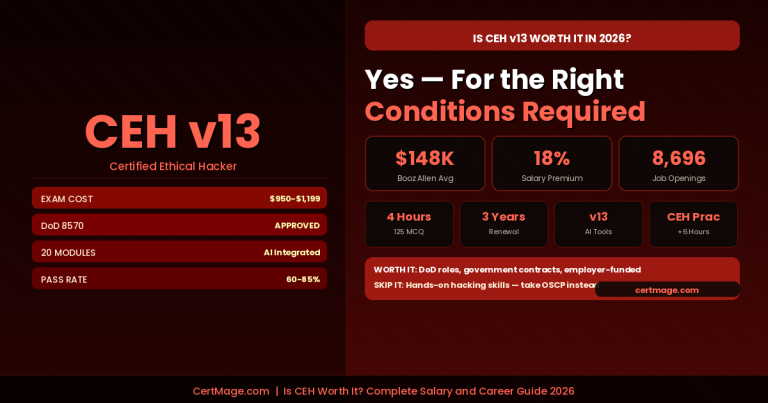
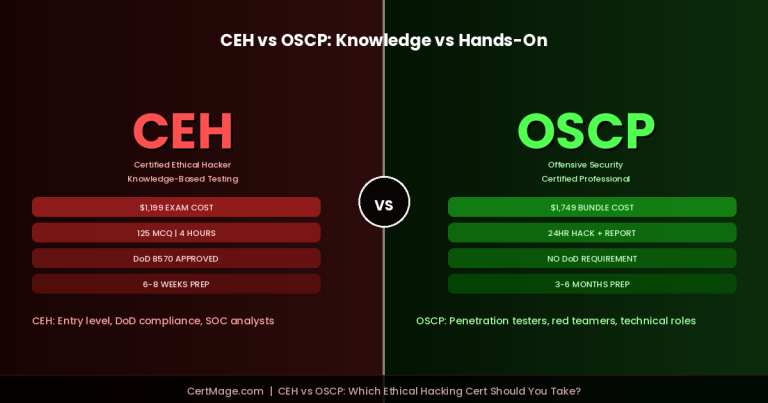
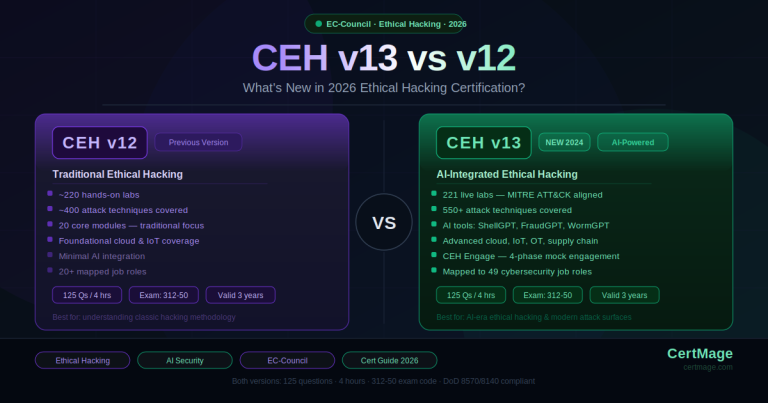
Certified Ethical Hacker (CEH) is recognized under DoD 8140 for Technical Level III roles and validates knowledge of offensive security techniques that defenders must understand in order to anticipate and counter them.
CISSP (Certified Information Systems Security Professional) is the gold standard for senior cybersecurity roles and is required or strongly preferred for many senior information security positions within the DoD and federal government. It validates expertise across eight security domains including risk management, cryptography, network security, and software development security.
CASP+ (CompTIA Advanced Security Practitioner) is DoD 8140 approved for Technical Level III and Management roles and covers advanced security engineering and enterprise-level risk management.
If you are a DoD contractor or federal employee looking to build from the Cyber Awareness Challenge into a recognized certification credential, the CertMage cybersecurity certification practice library covers Security+, CySA+, CEH, CISSP, and CASP+ with practice exams aligned to the current exam blueprints for each certification. Using structured practice questions in the weeks before your certification exam is the most reliable way to identify knowledge gaps and verify readiness before your test date.
Common Mistakes People Make When Taking the Challenge
Clicking through without reading. The training is scenario-based for a reason. Users who click through as fast as possible without engaging with the scenarios absorb none of the content and then struggle with the knowledge check questions. Slow down and read the scenarios. They are designed to mirror real situations.
Treating it as a checkbox rather than training. The threats the Cyber Awareness Challenge covers are not hypothetical. Phishing attacks against DoD personnel are a constant. Insider threats are a documented and recurring problem. Social engineering attacks specifically targeting government contractors have been used in major intelligence breaches. The training content is drawn from real incident patterns.
Looking for answer keys without understanding the reasoning. An answer key tells you what to select. It does not tell you why, which means it does not help you when you encounter a real phishing email, a suspicious phone call, or an ambiguous situation involving classified data. The reasoning behind each correct answer is the actual value of the training.
Not using the Knowledge Check option if you qualify. If you completed the 2024 version of the training, check whether your organization allows you to use the Knowledge Check option for 2026. This shorter option confirms your continuing knowledge without requiring you to repeat the full course from the beginning.
Frequently Asked Questions
Is the Cyber Awareness Challenge the same as the annual security refresher?
They are related but distinct. The Cyber Awareness Challenge is the DoD’s baseline end-user training focused on cybersecurity behaviors. The Annual Security Refresher covers broader security and counterintelligence awareness. Depending on your role and organization, you may be required to complete both. Check with your security officer or information assurance officer for your specific requirements.
How long does the Cyber Awareness Challenge take to complete?
The full training typically takes one to three hours depending on how thoroughly you engage with the interactive modules. The Knowledge Check option, available to returning users, is significantly shorter.
What happens if I do not complete it?
Failure to complete the training may result in loss of system access or non-compliance with federal cybersecurity protocols. The specific consequences vary by organization and role, but non-completion is treated as a compliance failure.
Does the training content change every year?
Yes. The training is updated annually to reflect new threat patterns, updated DoD policies, and evolving best practices. The challenge is regularly updated to address emerging threats and new cybersecurity technologies, ensuring that the training remains relevant and effective in a rapidly evolving digital landscape.
Can I access the training from home?
Yes, for most users. The training is available through the DoD Cyber Exchange online platform and supports remote access with a CAC reader. Check the technical requirements listed earlier in this guide to confirm your browser and operating system are compatible.
Is there a certificate of completion?
Yes. Upon successful completion, users receive a certificate of completion that is recorded in their training record and, for Army users, automatically fed into Army tracking systems.
What score do I need to pass the knowledge check?
The passing score requirement for the Knowledge Check is generally 70% or higher, though your organization may have specific requirements. Focus on understanding the material rather than targeting a minimum score.
The Bottom Line
The DoD Cyber Awareness Challenge 2026 exists because the threats it covers are real, they are active, and they specifically target the people who must complete this training. Phishing attacks, insider threats, social engineering, and classified data mishandling are not theoretical concerns. They are documented, recurring attack vectors against defense and government systems.
The most effective way to complete this training is to engage with it. Read the scenarios. Understand why each correct answer is correct. Carry the principles into your actual daily work, because that is the entire point of the training.
For those who want to build from basic annual compliance training into recognized cybersecurity expertise, the path runs through industry-recognized certifications. The CertMage certification practice library is where DoD personnel, federal employees, and government contractors go to prepare for the Security+, CySA+, CEH, CISSP, and CASP+ exams that open doors in the federal and defense cybersecurity career track.
Complete the challenge. Understand the material. And if this is the year you decide to turn compliance training into a certification credential, CertMage has what you need to get there.
Looking for 2026 answers? The updated guide covering AI threats and new 2026 scenarios is now live at: https://certempire.com/cyber-awareness-challenge-2026-answers/