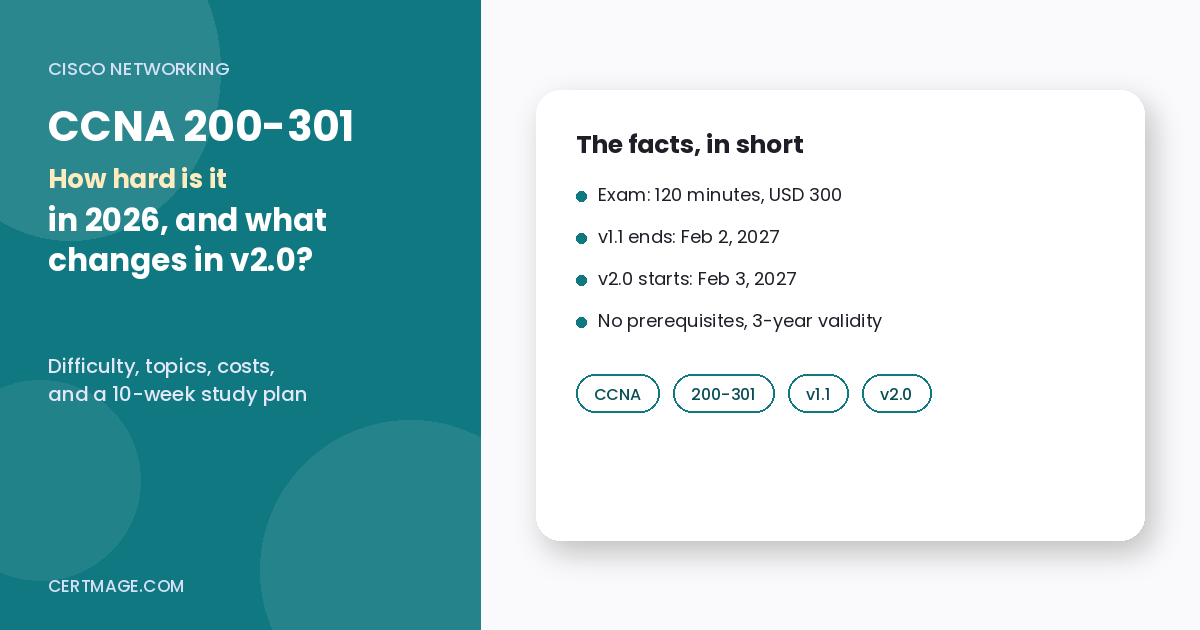
TL;DR: The CCNA 200-301 is moderately hard for most people and genuinely hard if you have never configured a router or switch. No single topic is impossible. The difficulty comes from breadth (switching, routing, IP services, security, wireless and automation in one 120-minute exam), from skills you must perform fast (subnetting, reading command output, troubleshooting), and from the fact that Cisco publishes neither the number of questions nor the passing score, so you cannot study toward a known target. There is also a deadline most “how hard is CCNA” articles miss: the current exam (v1.1) can be taken until February 2, 2027, and a revised v2.0 goes live on February 3, 2027, with five domains instead of six, a 10% AI and network operations domain, and more troubleshooting. From today (November 19, 2026), that leaves about 10 weeks on v1.1. Cisco’s own advice is to take v1.1 now if you are ready, because its skills carry over and waiting only delays certification.
Key Takeaways
- Difficulty depends on your starting point. Hands-on network admins find it manageable. Career changers with no networking background need real lab time, not only videos.
- The exam is 120 minutes. Cisco’s documents state the duration but not the question count or passing score for either version.
- Price and rules: USD 300, a five-calendar-day wait before a retake, three-year validity, and no prerequisites (Cisco’s CCNA page).
- The hardest areas for most candidates (our assessment): subnetting and IPv6, spanning tree, OSPF, access control lists, NAT, and reading unfamiliar command output.
- Deadline: v1.1 ends February 2, 2027. v2.0 starts February 3, 2027.
- v2.0 is “not a complete and total overhaul” in Cisco’s words, but it re-weights the domains, adds OSPFv3 and an AI domain, and leans toward troubleshooting.
- Labs beat videos. The blueprint is about doing things (configure, verify, interpret, troubleshoot), so plan your study hours around practice.
Quick Facts
Facts below come from Cisco’s CCNA certification page, Cisco’s v1.1 and v2.0 exam-topics documents, and a Cisco Learning blog post, all read in November 2026. Where a Cisco page did not state something, we say so.
| Item | CCNA 200-301 v1.1 (current) | CCNA 200-301 v2.0 |
| Testing window | Until February 2, 2027 | From February 3, 2027 |
| Duration | 120 minutes | 120 minutes |
| Number of questions | Not published by Cisco | Not published by Cisco |
| Passing score | Not published by Cisco | Not published by Cisco |
| Domains | 6 | 5 |
| Price | USD 300 (Cisco CCNA page) | No separate v2.0 price found in the pages we read |
| Prerequisites | None | None (per Cisco’s CCNA page) |
| Retake wait | 5 calendar days | Cisco’s CCNA page lists one retake rule |
| Validity | 3 years | 3 years |
| Renewal | Pass the current CCNA or a higher Cisco exam, or earn 30 CE credits | Same page, same rules |
| Delivery | Pearson VUE (confirm online proctoring availability with Pearson VUE) | Same |
So, How Hard Is CCNA 200-301?
Short answer: harder than entry-level exams such as CompTIA Network+, easier than professional-level exams such as CCNP, and much harder than its reputation if you skip labs.
What makes it feel hard:
- Breadth. v1.1 spans six domains, from cabling and wireless to ACLs, NAT, OSPF, and REST APIs.
- Depth in a few places. Subnetting, spanning tree, OSPF, and ACLs need understanding, not memorization.
- Command-line reading. You must interpret output (routing tables, interface status, VLAN tables) and pick the right fix.
- Unpublished targets. Without a published question count or passing score, you cannot calculate how many questions you can miss.
- Time pressure. 120 minutes is comfortable if you know the material and tight if you stall on a calculation or configuration item.
- A moving target. Study material for v1.1 and v2.0 overlaps but is not identical.
What makes it easier than it sounds:
- No prerequisites and no required training.
- The blueprint is public and detailed, so you know what is in scope.
- Practice is cheap, because network simulators and virtual labs can cover most of the blueprint.
- A failed attempt is a short setback: Cisco’s CCNA page states a five-calendar-day wait before a retake. It did not state a retake discount, so plan to pay the exam fee again.
How Hard Is It for Your Background? (Our Estimates)
These are our planning estimates, not Cisco guidance or measured pass rates.
| Your background | Difficulty | Estimated prep | What to focus on |
| Network technician or admin who already uses Cisco gear | Moderate | 4 to 8 weeks | Gaps: IPv6, spanning tree detail, wireless, automation |
| Help desk or sysadmin with basic networking | Moderate to hard | 8 to 12 weeks | Subnetting, VLANs, routing, ACLs, NAT |
| Network+ holder with no hands-on Cisco time | Moderate to hard | 8 to 12 weeks | Cisco CLI, labs, OSPF, switching |
| Complete beginner to IT | Hard | 4 to 6 months | Networking fundamentals first, then the CCNA blueprint |
| Student who took a networking course | Moderate | 6 to 10 weeks | Labs, timed practice, weak-topic review |
If you are choosing between CompTIA’s networking exam and Cisco’s, read our full comparison of Network+ vs CCNA. If you want a calibration point for how Network+ feels by comparison, see our breakdown of how hard Network+ is. If you are brand new to IT and wondering whether you should start even lower, our A+ 220-1201 vs 220-1101 guide covers the usual first rung.
What Does the CCNA 200-301 v1.1 Cover?
Cisco’s v1.1 topic document lists six domains with these weights:
| Domain | Weight |
| 1.0 Network Fundamentals | 20% |
| 2.0 Network Access | 20% |
| 3.0 IP Connectivity | 25% |
| 4.0 IP Services | 10% |
| 5.0 Security Fundamentals | 15% |
| 6.0 Automation and Programmability | 10% |
Where the points are: IP Connectivity is the biggest single domain at 25%. Network Fundamentals, Network Access and IP Connectivity together are 65% of v1.1 (our arithmetic: 20 + 20 + 25). That is where most of your lab hours should go.
Domain 1: Network Fundamentals (20%)
Cisco’s outline covers network components (routers, Layer 2 and Layer 3 switches, next-generation firewalls and IPS, access points, controllers, endpoints, servers and PoE), topology architectures (two-tier, three-tier, spine-leaf, WAN, SOHO, on-premises and cloud), physical interfaces and cabling, interface and cable issues (collisions, errors, duplex and speed mismatches), TCP vs UDP, IPv4 and IPv6 addressing, private addressing, IPv6 address types, verifying IP parameters on Windows, macOS and Linux, wireless principles, virtualization (servers, containers, VRFs) and switching concepts such as MAC learning and flooding.
Why it is hard: it is a wide list of small topics, and the addressing items need calculation.
What to practice: subnetting by hand, IPv6 address types, and recognizing duplex mismatch symptoms from interface counters.
Domain 2: Network Access (20%)
VLANs across switches (access ports for data and voice, the default VLAN, inter-VLAN connectivity), trunk ports with 802.1Q and the native VLAN, CDP and LLDP, Layer 2 and Layer 3 EtherChannel with LACP, Rapid PVST+ (root and port roles, port states, PortFast, root guard, loop guard, BPDU filter, BPDU guard), Cisco wireless architectures and AP modes, device management access (Telnet, SSH, HTTP, HTTPS, console, TACACS+ and RADIUS, cloud-managed) and interpreting WLAN GUI settings.
Why it is hard: spanning tree has many named states and roles, and trunking mistakes are easy to make.
What to practice: build a three-switch topology, change the root bridge, and predict which ports will be root, designated and blocking before you check.
Domain 3: IP Connectivity (25%)
Routing table components (protocol code, prefix, mask, next hop, administrative distance, metric, gateway of last resort), forwarding decisions (longest prefix match, administrative distance, metric), IPv4 and IPv6 static routing (default, network, host and floating static routes), single-area OSPFv2 (neighbor adjacencies, point-to-point and broadcast networks, DR and BDR election, router ID) and the purpose of first-hop redundancy protocols.
Why it is hard: it is the biggest domain, and OSPF only makes sense after you have watched neighbors form.
What to practice: configure OSPF on three routers, break an adjacency (mismatched hello timers, wrong network statement, passive interface) and fix it using show commands.
Domain 4: IP Services (10%)
Inside source NAT (static and pools), NTP client and server modes, DHCP and DNS roles, SNMP, syslog facilities and severity levels, DHCP client and relay, QoS per-hop behavior (classification, marking, queuing, congestion, policing and shaping), SSH remote access, and TFTP and FTP.
Why it is hard: many small topics, and NAT is the usual stumbling block.
What to practice: configure NAT overload and read the NAT translation table, set up DHCP relay across a router and test it.
Domain 5: Security Fundamentals (15%)
Threats, vulnerabilities, exploits and mitigation, security program elements, local device passwords, password policy (including MFA, certificates and biometrics), IPsec remote access and site-to-site VPNs, access control lists, Layer 2 security (DHCP snooping, dynamic ARP inspection, port security), AAA concepts and wireless security protocols (WPA, WPA2, WPA3).
Why it is hard: ACL logic (order, wildcard masks, placement) trips people up, and Layer 2 security has many similar-sounding features.
What to practice: write standard and extended ACLs, apply them in the right direction and prove with ping and show commands that they do what you meant.
Domain 6: Automation and Programmability (10%)
The impact of automation, traditional vs controller-based networking, software-defined architecture (overlay, underlay, fabric, control and data plane, northbound and southbound APIs), generative and predictive AI and machine learning in network operations, REST API characteristics (authentication, CRUD, HTTP verbs, data encoding), configuration management tools such as Ansible and Terraform, and JSON.
Why it is hard: it is unfamiliar vocabulary for people who have never used APIs.
What to practice: read a short JSON sample until you can find a key’s value by eye, and learn which HTTP verb maps to which CRUD action.
Domain-by-domain difficulty summary (our assessment)
| Domain | Weight | Our difficulty | Main reason |
| Network Fundamentals | 20% | Medium to high | Subnetting and IPv6 |
| Network Access | 20% | High | Spanning tree and trunking detail |
| IP Connectivity | 25% | High | Largest domain, and OSPF needs lab time |
| IP Services | 10% | Medium | NAT and many small topics |
| Security Fundamentals | 15% | Medium | ACL logic |
| Automation and Programmability | 10% | Low to medium | New vocabulary |
Worked Examples of the Skills the Exam Expects
These examples are our own teaching examples, based on standard networking rules. They are not Cisco exam questions. Use them to check whether you can do the maths quickly.
Example 1: Subnetting a /26
Host 192.168.10.77/26. A /26 has a block size of 64 in the last octet. The subnet boundaries are .0, .64, .128, and .192, so .77 sits in the .64 subnet. Network address: 192.168.10.64. Broadcast: 192.168.10.127. Usable hosts: .65 to .126, which is 62 hosts.
Example 2: Subnetting a /20
Host 172.16.45.200/20. The mask is 255.255.240.0, so the block size in the third octet is 16. 45 falls in the 32 to 47 block. Network address: 172.16.32.0. Broadcast: 172.16.47.255. Usable hosts: 4,094.
Example 3: Splitting a /24 into four subnets
Borrow 2 bits from 10.0.0.0/24 to get four /26 subnets: 10.0.0.0/26, 10.0.0.64/26, 10.0.0.128/26 and 10.0.0.192/26.
Example 4: EUI-64
MAC address 00:1A:2B:3C:4D:5E. Split it in half, insert FF: FE in the middle, then flip the seventh bit of the first byte (00 becomes 02). The interface ID is 021A:2BFF: FE3C:4D5E. With the prefix 2001:db8:acad:1::/64, the full address is 2001:db8:acad:1:21a:2bff:fe3c:4d5e, written without the leading zeros.
Example 5: Which route wins?
A router has three routes: 10.1.0.0/16 via A, 10.1.1.0/24 via B and 0.0.0.0/0 via C. A packet for 10.1.1.9 follows the /24 (B) because the longest matching prefix wins. A packet for 10.1.2.9 matches only the /16 (A). A packet for 8.8.8.8 matches only the default route (C). Administrative distance only decides between routes with the same prefix length from different sources: lower is preferred, and standard Cisco defaults include 0 for connected, 1 for static, 90 for EIGRP, 110 for OSPF and 120 for RIP.
Example 6: A wildcard mask
To permit the network 192.168.10.0/24 in an ACL, the wildcard mask is 0.0.0.255, which is the inverse of 255.255.255.0.
If any of these felt slow, that is a good place to spend your next study session.
The Show Commands You Should Know Cold (Our Checklist)
| Area | Commands to practice |
| Interfaces and IP | show ip interface brief, show interfaces, show running-config |
| VLANs and trunks | show vlan brief, show interfaces trunk |
| Spanning tree | show spanning-tree, show spanning-tree vlan 1 |
| EtherChannel | show etherchannel summary |
| Routing | show ip route, show ip route ospf, show ipv6 route |
| OSPF | show ip ospf neighbor, show ip ospf interface brief |
| NAT and ACLs | show ip nat translations, show access-lists |
| Discovery | show cdp neighbors, show lldp neighbors |
| Logs | show logging |
| Testing | ping, extended ping, traceroute |
For each command, ask three questions: what problem does it help diagnose, what does healthy output look like, and what does broken output look like?
A Simple Troubleshooting Method
Both versions reward a calm, repeatable method, and v2.0 leans harder on troubleshooting. Our suggested order:
- Define the symptom. Who cannot reach what?
- Check Layer 1. Is the interface up, and are there errors or a duplex mismatch?
- Check Layer 2. VLAN membership, trunk allowed lists, spanning tree state, MAC table.
- Check Layer 3. IP address, mask, default gateway, routing table entry.
- Check services and security. DHCP, DNS, NAT, ACLs.
- Test with ping and traceroute at each step to find where traffic stops.
What Changes in CCNA v2.0? (Official Outline)
Cisco’s v2.0 exam-topics document shows five domains:
| v2.0 domain | Weight |
| 1.0 Network Infrastructure and Connectivity | 25% |
| 2.0 Switching and Network Access | 25% |
| 3.0 IP Routing | 20% |
| 4.0 Network Services and Security | 20% |
| 5.0 AI, and Network Operations and Management | 10% |
The document says you may be asked to evaluate output and recommendations from agentic AI and digital network assistants for network operations and troubleshooting. Cisco’s blog says v2.0 is not a complete and total overhaul but takes a different approach to the depth of subject knowledge, with practical assessments, security and AI woven throughout, and more troubleshooting tasks.
v1.1 vs v2.0 domain mapping (our reading)
| v1.1 domain | Closest v2.0 home | Notes |
| Network Fundamentals (20%) | Network Infrastructure and Connectivity (25%) | v2.0 phrases many items as troubleshooting (copper and fiber diagnosis, IPv4 and IPv6, DHCP) |
| Network Access (20%) | Switching and Network Access (25%) | Adds packet captures and extended ping in the troubleshooting objective |
| IP Connectivity (25%) | IP Routing (20%) | Adds OSPFv3 and HSRP or VRRP operational status |
| IP Services (10%) and Security Fundamentals (15%) | Network Services and Security (20%) | Adds DNS record diagnosis, SFTP and SCP, storm control and RA guard |
| Automation and Programmability (10%) | AI, and Network Operations and Management (10%) | Agentic AI, prompt selection, infrastructure as code, SNMP, Ansible, syslog |
What looks new or reshaped in the v2.0 outline
- Troubleshooting language runs through the outline: diagnosing copper and fiber issues, troubleshooting addressing, wired and wireless client connectivity, DHCPv4, static routing, and Layer 2 and Layer 3 connectivity with show commands, logs, ping, extended ping, traceroute and packet captures.
- OSPFv3 appears alongside OSPFv2.
- HSRP and VRRP operational status is named.
- DNS record types (A, AAAA, CNAME, MX, NS, PTR) are named for diagnosis.
- Secure file transfer with SFTP and SCP.
- More Layer 2 security items, including storm control and RA guard.
- An AI domain covering agentic AI in network operations and selecting generative AI prompts (data classification, output format, persona and instructions).
- Network management approaches: device-based, cloud-based, controller-based, automation-based and infrastructure as code.
What we did not see named in the v2.0 outline
NTP, QoS, REST API characteristics and JSON were named in v1.1 but did not appear as named objectives in the condensed v2.0 outline we read. One third-party summary says related topics may still appear on the exam. We cannot confirm that from Cisco, so do not assume those topics are gone for good, and read the full PDF yourself.
Should You Take v1.1 Now or Wait for v2.0?
| Your situation | Our suggestion |
| You can be exam-ready by late January 2027 | Take v1.1. Cisco recommends taking the current exam now |
| You are a beginner starting today | Build fundamentals first. Decide by mid-December whether v1.1 is realistic; otherwise, study toward v2.0 |
| You already studied v1.1 materials | Finish and book before February 2, 2027 |
| Your employer needs the credential by a date | Book the earliest slot you can prepare for |
| You enjoy troubleshooting and AI topics | v2.0 may suit your strengths, but there is no need to wait if you are ready now |
Cisco’s reasoning: v1.1 skills carry into v2.0, and waiting only delays certification. Our own caution: the last weeks of a retiring exam may be busy, so book early instead of assuming the final week will have open slots (this is our assumption, not a Cisco statement). Either version gives the same three-year CCNA validity, according to the CCNA page.
What Does It Cost?
| Item | Cost or rule | Source |
| Exam | USD 300 | Cisco CCNA page |
| Exam Safeguard Plus | USD 450, includes a second attempt if you do not pass the first within 90 days | Cisco CCNA page |
| Voucher validity | 365 days from purchase | Cisco CCNA page |
| Retake wait | 5 calendar days | Cisco CCNA page |
| Renewal | Pass the current CCNA or a higher Cisco exam, or earn 30 CE credits | Cisco CCNA page |
Our arithmetic: Safeguard Plus costs USD 150 more than the standard exam (450 minus 300). If you fail once, it saves money compared with two standard attempts (USD 600 in total). If you pass first time, it was extra spending. Your own readiness should decide, not the sales pitch.
How Does CCNA Renewal Compare With Other Vendors?
CCNA’s three-year cycle with 30 CE credits or a re-exam is one model. Other vendors differ. For example, Microsoft’s role-based certifications use their own renewal system, which we cover in our guide on whether Microsoft certifications expire. Check the rules of every credential you plan to hold, because renewal cost and effort differ.
How Should You Study? A 10-Week Plan That Fits the Deadline
This is our suggested plan, not Cisco guidance. Roughly 10 weeks remain until February 2, 2027 (our count from November 19). Adjust the pace to your background. For a general view of how long certification prep takes across IT exams, see our guide on time to prepare for a certification exam.
| Week | Focus | Lab work |
| 1 | Network components, topologies, cabling, TCP vs UDP | Build a small topology in a simulator |
| 2 | IPv4 addressing and subnetting | 20 subnetting problems a day until it is fast |
| 3 | IPv6 addressing and address types | Configure IPv6 on routers and verify |
| 4 | VLANs, trunks, CDP and LLDP, EtherChannel | Build a multi-switch VLAN lab |
| 5 | Rapid PVST+, wireless architectures, device management | Change the root bridge and observe port roles |
| 6 | Routing tables, static routes, floating statics | Break and fix routes |
| 7 | OSPFv2 single area, first-hop redundancy concepts | Configure OSPF, check neighbors and DR election |
| 8 | NAT, DHCP, DNS, SNMP, syslog, NTP, QoS, SSH | Configure NAT and DHCP relay |
| 9 | ACLs, Layer 2 security, VPN concepts, AAA, wireless security, REST, JSON, Ansible | Write and test ACLs |
| 10 | Timed full-length practice, weak-topic review, booking checks | Troubleshooting drills |
Weekly rhythm that works for most people
- Three weekday sessions of 60 to 90 minutes: one reading or video session, one lab session, one practice-question session.
- One longer weekend lab block: build a topology from scratch and troubleshoot a deliberate fault.
- A 15-minute daily subnetting drill.
- A Sunday review: write down what you got wrong and why.
How to make labs count
- Use a network simulator or virtual lab and type the configurations yourself instead of pasting them.
- After each lab, break something on purpose and fix it using show commands.
- Keep a one-page cheat sheet of commands you forget, then try to retire it.
- Time yourself on practice sets: 120 minutes goes quickly once a configuration item takes longer than expected.
- Explain a topic out loud as if teaching a colleague. If you cannot, you do not know it yet.
If you are targeting v2.0 instead
Add extra practice on:
- Troubleshooting workflows: ping, extended ping, traceroute, logs and packet captures.
- OSPFv3 and interpreting HSRP or VRRP status.
- DNS record types and DHCP troubleshooting.
- Layer 2 security features such as storm control and RA guard.
- The AI domain: the role of agentic AI in network operations and how to choose a good prompt.
For practice questions mapped to the blueprint, see CertMage’s CCNA 200-301 practice page.
What About Pass Rates?
We could not find an official CCNA pass rate. Cisco does not publish a passing score or question count in the pages we read, and we found no Cisco-published pass-rate statistic. Pass rates quoted by training companies and forums come with no stated method, so treat any “X% of people fail CCNA” claim as unverified. The practical lesson is to study the blueprint and prove readiness with labs and timed practice instead of chasing a number.
How Do You Know You Are Ready? (Our Checklist)
You are probably ready to book when you can:
- Subnet any IPv4 address given a prefix in under a minute, without a calculator.
- Identify IPv6 address types at a glance and build an EUI-64 interface ID.
- Configure VLANs, trunks, and EtherChannel from memory and verify them.
- Predict spanning tree roles and port states in a small topology.
- Configure single-area OSPF and explain why a neighbor is stuck.
- Write an ACL, apply it correctly, and test it.
- Configure NAT overload and read the translation table.
- Explain what REST verbs, JSON, and controller-based networking are for.
- Score consistently well on timed practice sets that you have not seen before. One study provider’s rule of thumb for other exams is a consistent 75% or more, but that is not a Cisco benchmark.
Is CCNA Worth the Difficulty?
That depends on your goal. We do not publish salary figures, and we did not verify employer-demand data for this guide, so check job postings in your own market.
- If you want a networking job or to move up from help desk: CCNA is widely listed in network support and network administrator job descriptions, but check the postings you care about. Our IT career opportunities guide puts networking next to other IT paths.
- If you want remote or flexible work: see our list of the best certifications for remote tech jobs for where networking fits.
- If you aim at security: networking knowledge underpins most security roles. See our best cybersecurity certifications ranking, our guide to Network+ vs Security+, and whether Security+ is worth it.
- If you aim at cloud: IP addressing, routing, DNS, and security reappear in cloud exams. Our cloud certification roadmap shows where they fit, our guide to the top cloud and IT certifications compares options, and our note on the AWS Advanced Networking Specialty retirement is useful if you were considering cloud networking as a specialty.
- If you want to go deeper in Cisco: the next step up is the professional level. CertMage also has a CCNP Enterprise 350-401 practice page for later.
Common Mistakes
- Only watching videos. The exam rewards hands-on skill. Build and break labs.
- Skipping subnetting practice. It affects addressing, routing, and ACL questions.
- Ignoring wireless and automation because they feel less important. They are still tested.
- Using materials for the wrong version. Check whether your book or course targets v1.1 or v2.0.
- Waiting for v2.0 out of fear. Cisco recommends taking v1.1 now if you are ready.
- Leaving booking to last week. Slots may be scarce near a retirement date.
- Memorizing commands without understanding them. Troubleshooting questions need reasoning.
- Not timing yourself. Practice under the 120-minute limit.
- Copying configurations without reading output. You must interpret the results on the exam.
- Believing unverified difficulty or pass-rate claims. Rely on the official outline.
FAQS
1. Is the CCNA 200-301 hard?
It is moderately hard for people with some IT background and hard for complete beginners. The breadth and hands-on style are what make it demanding.
2. How many questions are on the CCNA exam?
Cisco does not publish the number of questions for v1.1 or v2.0 in the documents we read. The exam is 120 minutes long.
3. What is the CCNA passing score?
Cisco does not publish a passing score in the pages we read.
4. How much does the CCNA exam cost?
USD 300, according to Cisco’s CCNA page, with an Exam Safeguard Plus option at USD 450.
5. How long should I study for CCNA?
Roughly 4 to 12 weeks for people with networking or IT experience and several months for complete beginners. These are our estimates, not Cisco’s.
6. Are there prerequisites for CCNA?
No, according to Cisco’s CCNA page.
7. When does CCNA v1.1 retire?
The last day of testing for 200-301 CCNA v1.1 is February 2, 2027.
8. When does CCNA v2.0 start?
February 3, 2027, according to Cisco’s Learning blog.
9. Should I wait for v2.0?
Cisco recommends taking v1.1 now, because its skills carry over and waiting only delays certification.
10. How long is the CCNA valid?
Three years. You can renew by passing the current CCNA or a higher Cisco exam, or by earning 30 CE credits.
11. How soon can I retake CCNA if I fail?
You must wait five calendar days after your previous attempt.
12. Is CCNA harder than Network+?
Generally, yes, because it is more hands-on and Cisco-specific. See our Network+ vs CCNA guide for the comparison.
13. What are the hardest CCNA topics?
In our assessment: subnetting, IPv6, spanning tree, OSPF, ACLs, NAT, and troubleshooting with command output.
Final Thoughts
CCNA 200-301 rewards people who practice. It is broad, it is hands-on, and its question count and pass mark are unpublished, but it has no prerequisites, a public blueprint and a short retake wait. The calendar matters more than usual this season: v1.1 ends on February 2, 2027. If you can be ready by then, follow Cisco’s advice in its CCNA refresh announcement and take the current exam. If not, study the v2.0 outline and plan for a February start.